
Click ASSETS from the navigation bar.
Click UNINSTALL.
Select the Logpoint instances where you want to uninstall the packages.
Select the packages to uninstall.
Note
When selecting more than one Logpoint instance, you can only uninstall packages that both use.
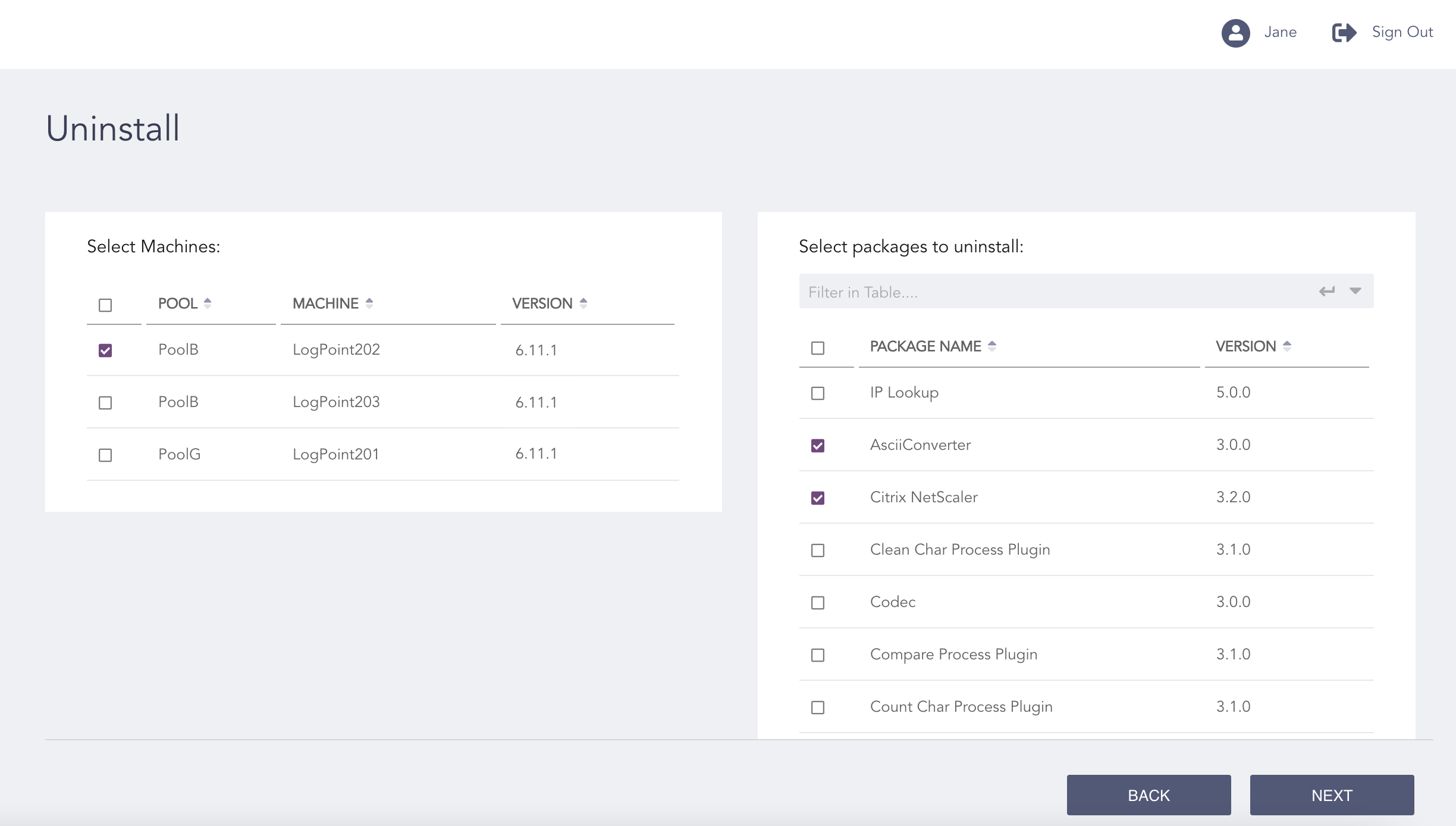
Selecting Logpoint and Packages
Click NEXT.
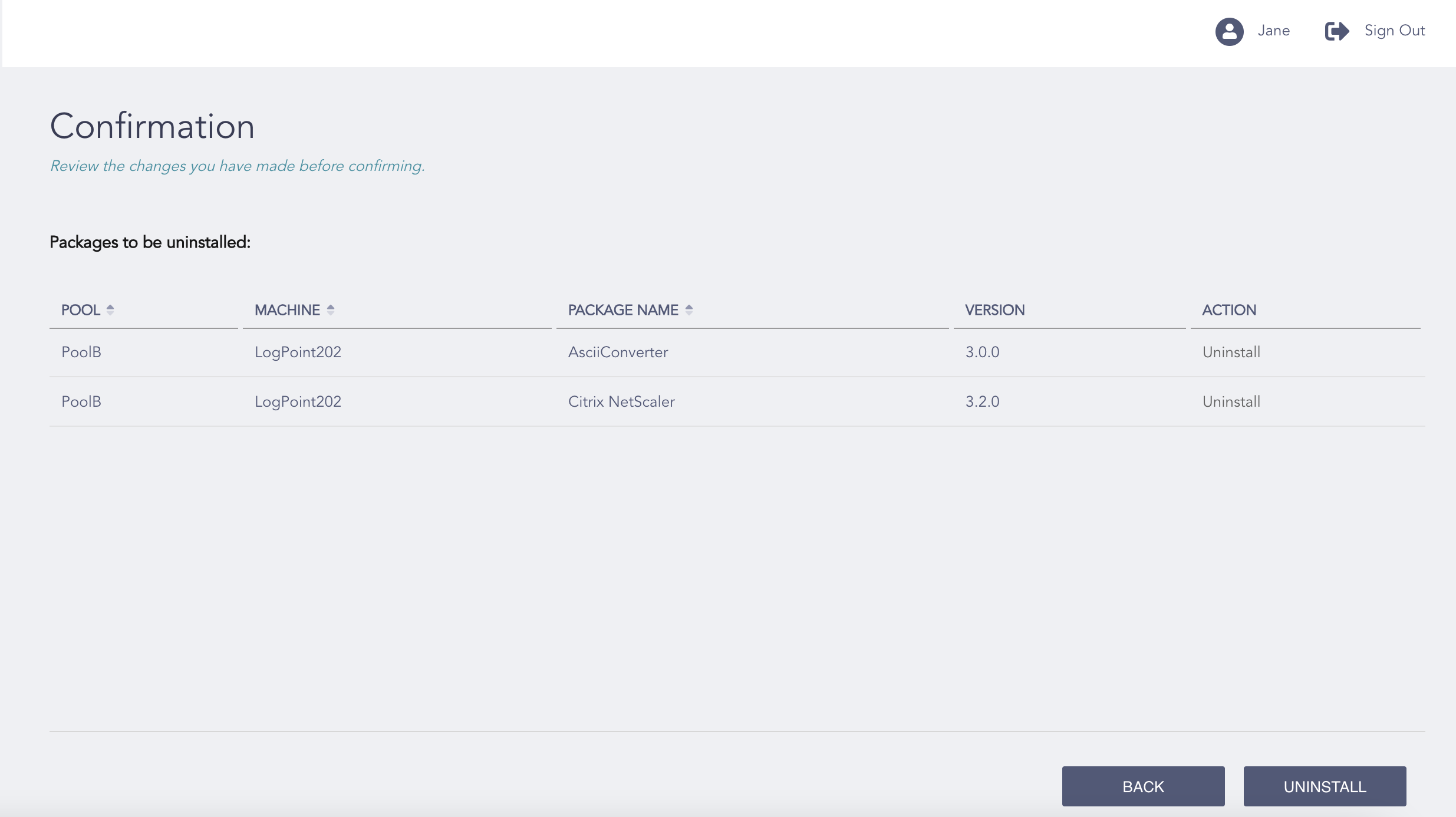
Confirming the Changes
Review your changes. You can go BACK to make any changes if necessary.
Click UNINSTALL.
Click OK.